Point of sale for restaurants, cafés and coffee shops

Point of sale that keeps up with a busy service

Take orders from a picture menu, see every table at a glance, let waiters order from a tablet, and settle the bill in seconds. The office has the reports, the VAT and the setup, and ExPOS Cloud brings every branch together online.

The ExPOS order screen: a table's order on the left, categories, and a menu of coffee drinks with their photos and prices
Touchscreen tillOn Windows, with a PIN for each cashier
Waiter appOrders from Android tablets
Arabic namesOn the menu, tickets and receipts
ZATCA e-invoicingPhase 2 ready

A tour of ExPOS

The real screens, from the first tap on a table to the VAT report at the end of the day.

Ordering

A picture menu your staff learn in minutes

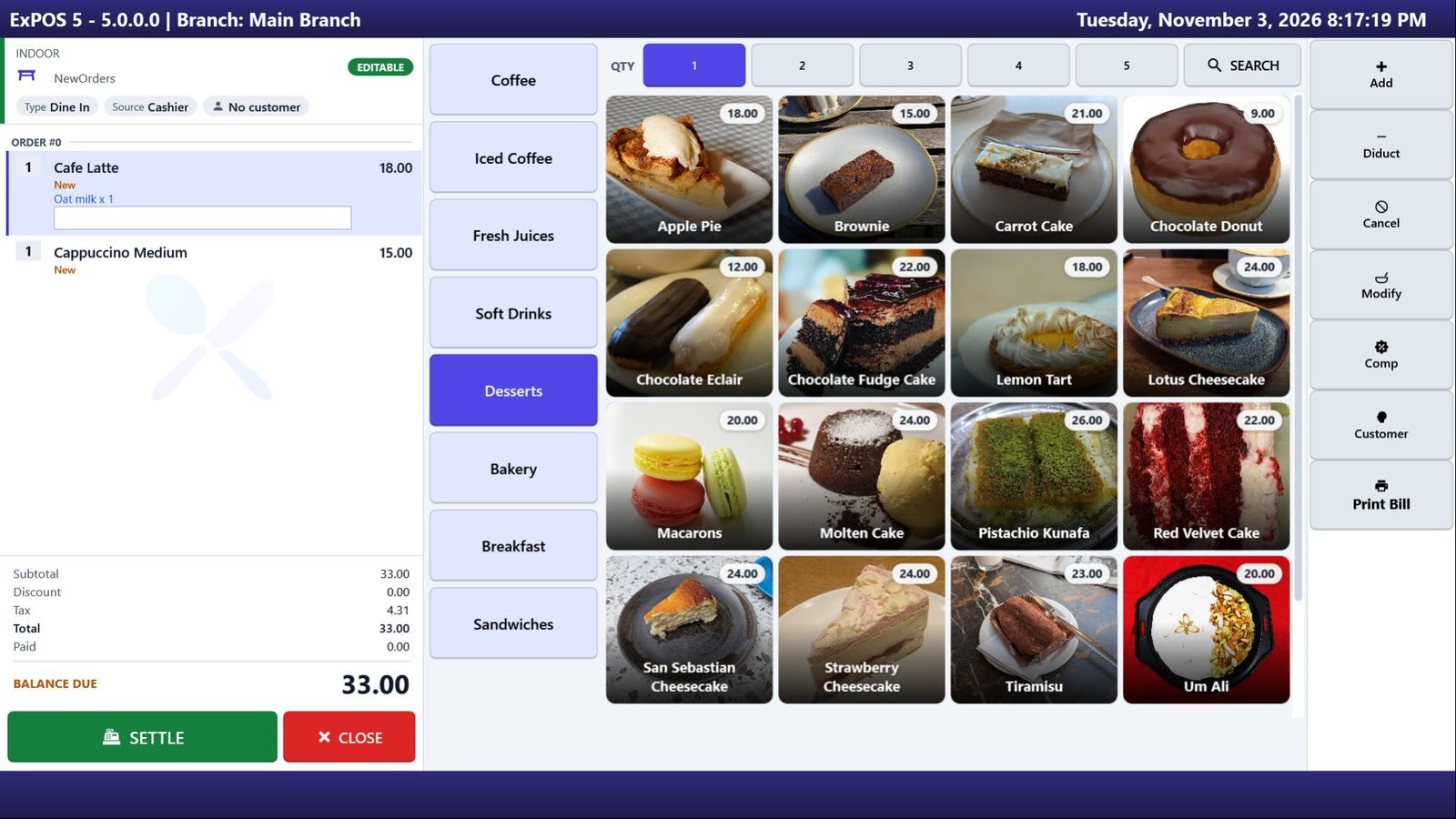
Tap a category, then the items. Every item shows its photo and price, so new staff find the right one at a glance. Sizes and extras open as you tap.

  • Your own photos, categories and button sizes
  • Sizes, extras and modifier groups, with a note on any line
  • VAT worked out on every line as you go
  • Quantity keys and item search for long menus
ExPOS desserts menu with photo tiles for cheesecake, kunafa, tiramisu and more, and a table's order with three items
Tables

Every table at a glance

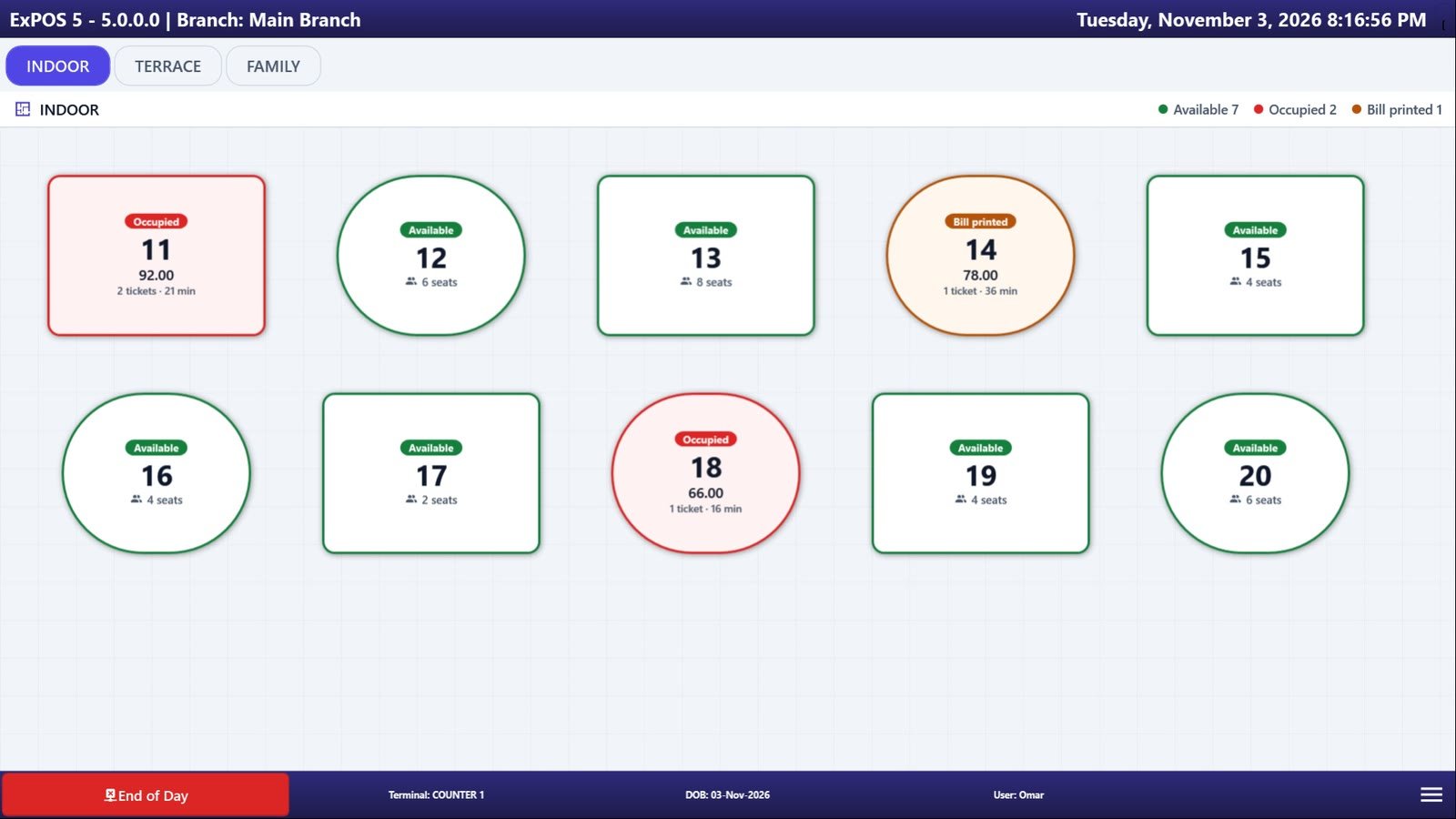
The floor plan shows each table as it is: available, occupied, or with the bill printed, with the amount and how long the guests have been seated. Switch between areas with one tap.

  • Indoor, terrace, family and any other areas you have
  • Several tickets on one table, merged or moved when needed
  • Dine-in and take-away
The ExPOS floor plan with available, occupied and bill-printed tables, their amounts and times
Waiter app

Take the order at the table

Waiters sign in on an Android tablet with their PIN, open the table and pick items, sizes and extras from the same menu as the till. Their orders reach the kitchen and the till at once.

  • The same floor plan as the till
  • Add, cancel or modify items, and add a ticket to a table
  • Fewer trips to the counter at busy times
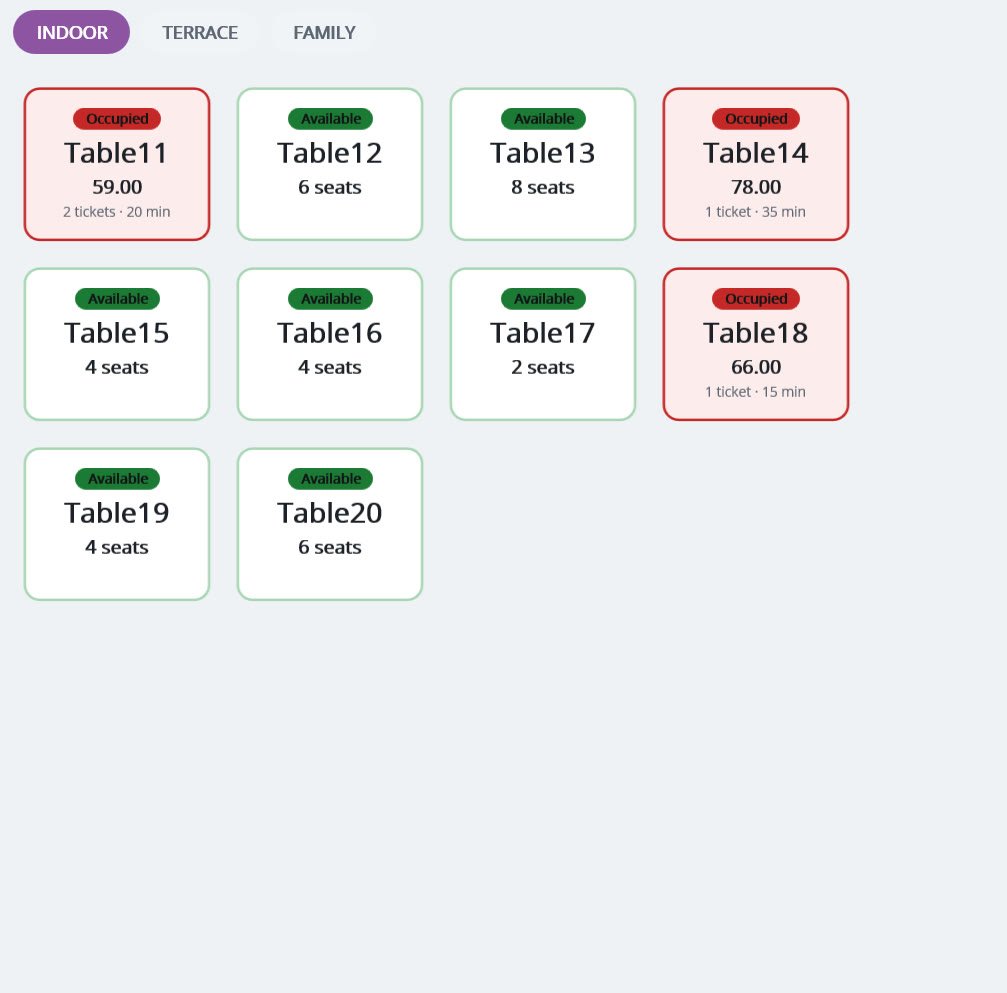
The ExPOS Waiter app on a tablet, showing the tables of the indoor area
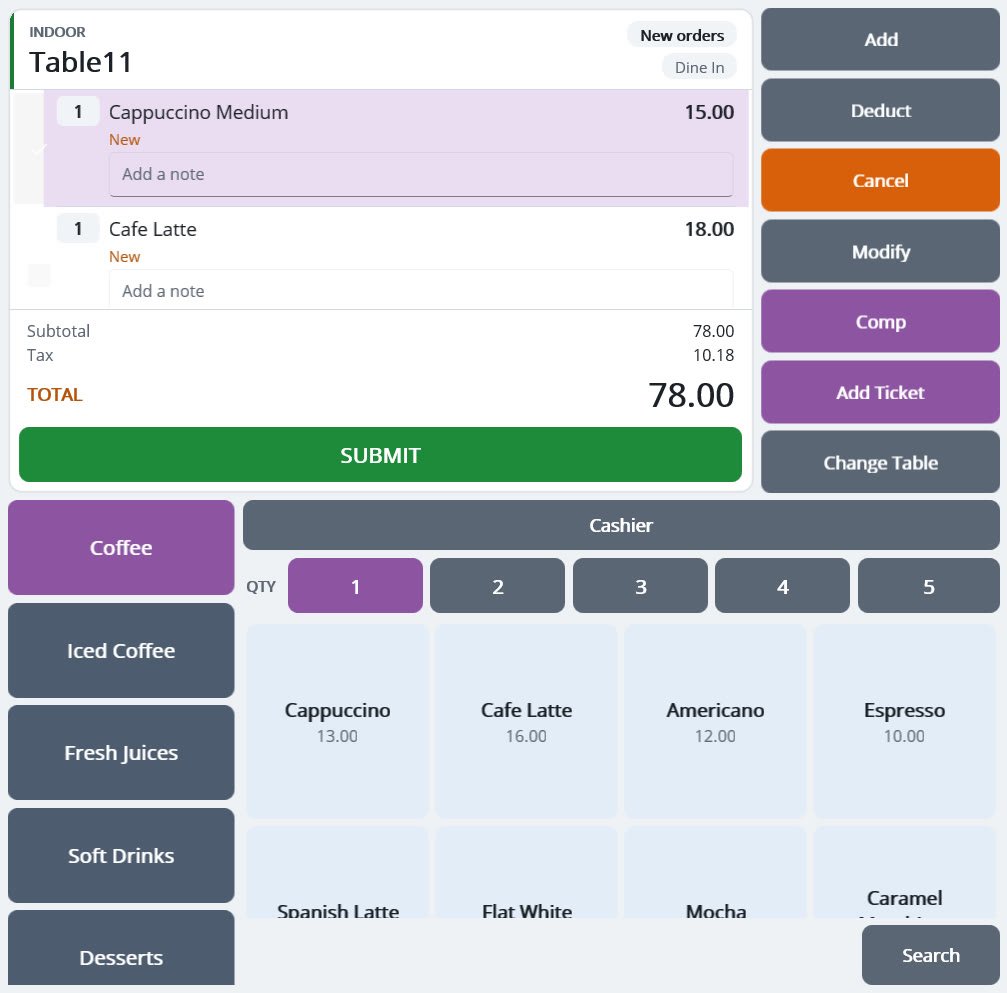
The ExPOS Waiter app showing Table 11's order with a cappuccino, a café latte and the coffee menu
Payment

Settle the bill in seconds

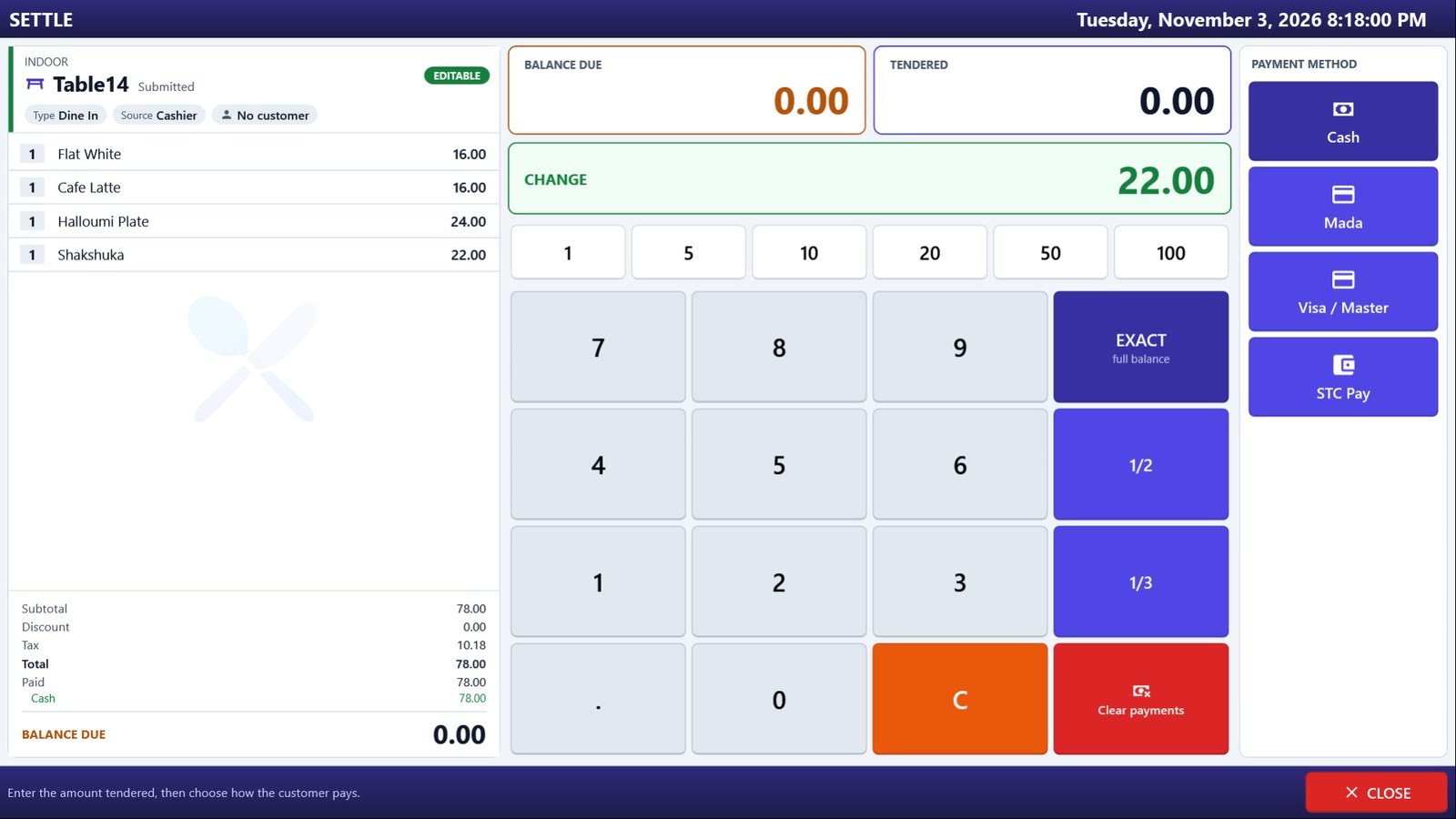
Open the table, tap the notes the guest handed over, and ExPOS shows the change. Close the bill and the table is free again.

  • Cash, Mada, Visa and Mastercard, STC Pay and delivery apps
  • Exact amount, or split the balance in half or in thirds
The ExPOS payment screen: a bill of 78.00 paid in cash, with change of 22.00
Tickets

The whole day in one list

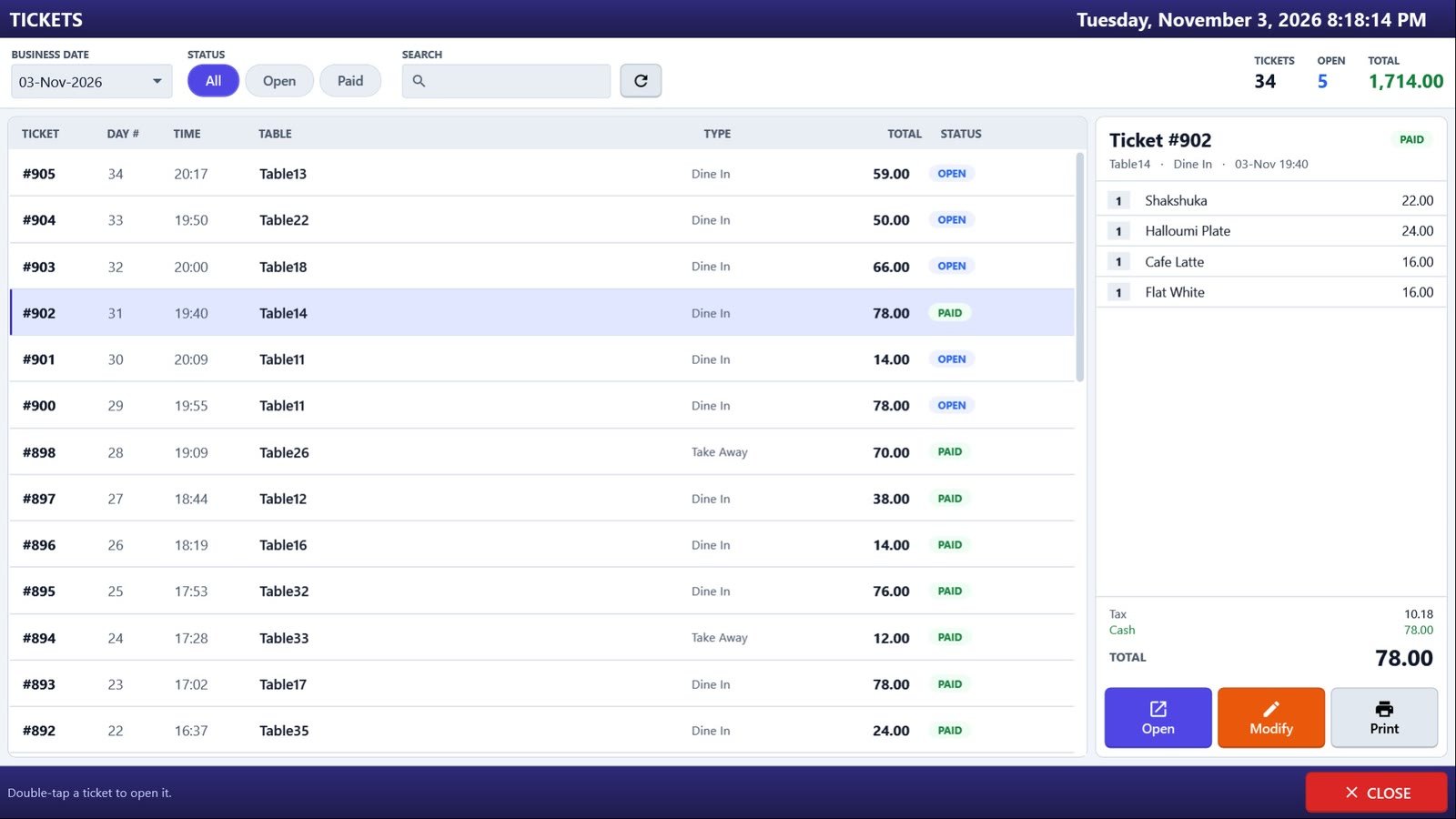
Every ticket of the business day, open or paid, with its table, time, type and total. Pick one to see its orders and payments, then open, change or reprint it.

  • Filter by status or search by number
  • The day's count and total at the top
The ExPOS ticket list for the business day, with a ticket's orders shown on the right
Reports and VAT

Know your day, close it with confidence

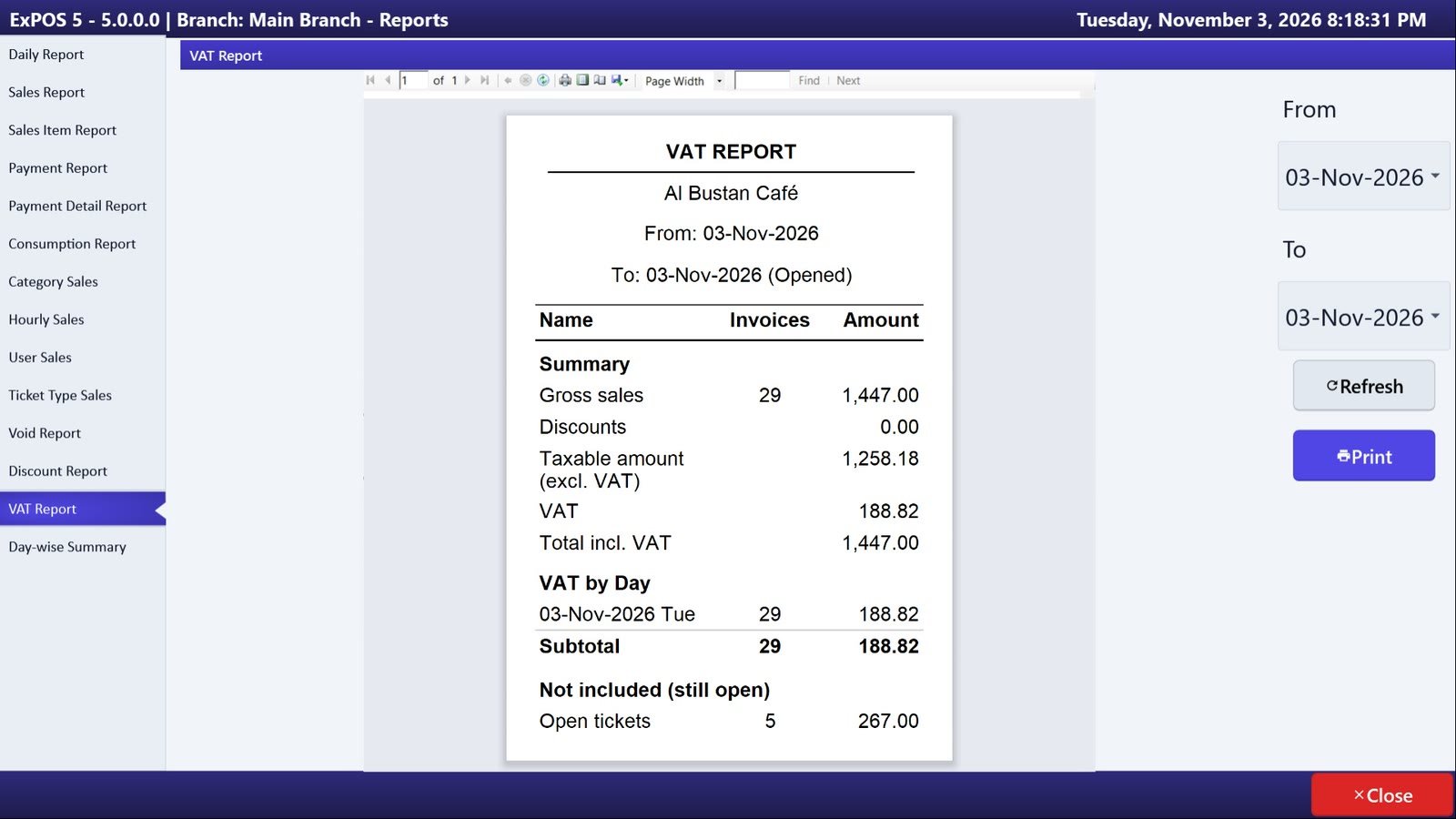
Reports for sales, items, categories, hours, staff, payments and VAT, for any range of days. End of Day closes the business date.

  • The VAT report: gross sales, taxable amount and VAT, day by day
  • Payments by method, voids and discounts
  • Ready for ZATCA Phase 2 e-invoicing
The ExPOS VAT report for the day: gross sales, discounts, taxable amount, VAT and total
Setup

Run the whole store from one place

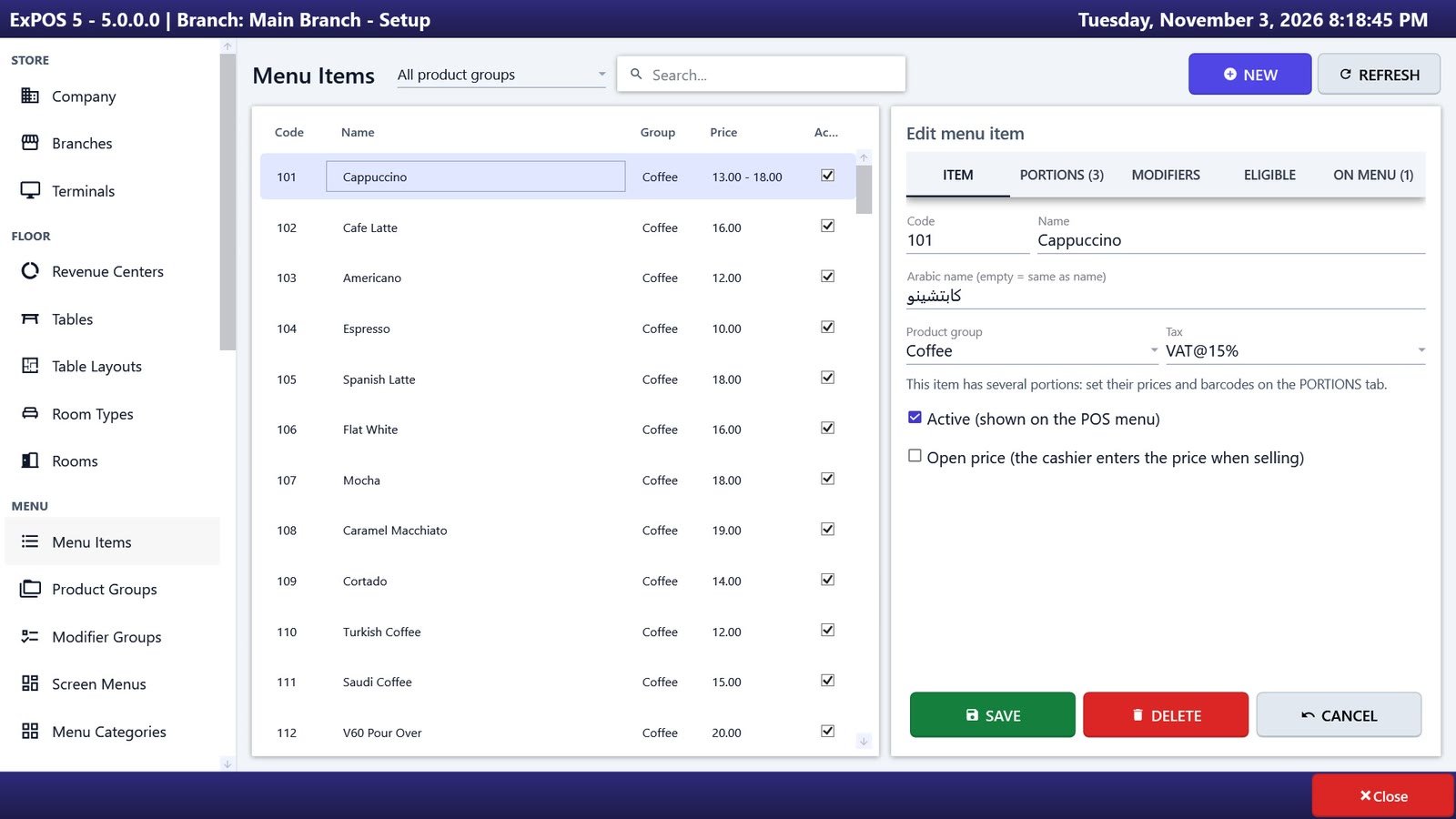
Menu items with Arabic names, sizes and VAT, extras and modifier groups, and the branches, terminals, tables and staff, all in Setup.

  • Prices for every size, and an open price where you need one
  • Screen menus and categories laid out the way you like
  • Staff roles and what each one may do
ExPOS Setup: the menu items list with Cappuccino open, its Arabic name, product group and VAT
New · ExPOS Cloud

All your branches in one place

ExPOS Cloud connects the till at every branch to one online portal. Owners and managers sign in from any browser to change the menu, set branch prices and see the sales of every branch.

  • One menu for every branch: change an item, price or modifier once, and each branch gets it
  • Sales from every branch, uploaded automatically, in combined reports
  • A different price for one branch, or hide the items it does not sell
  • Owner and manager logins, with managers limited to their own branches
  • Branches keep selling when the internet drops, and catch up when it is back
  • A yearly subscription per branch, with hosting and updates included
Ask about ExPOS Cloud

From the counter to the kitchen

Cashiers take orders and settle bills on the touchscreen, waiters order at the table from a tablet, and every order goes straight to the kitchen.

A touchscreen ExPOS terminal with a cash drawer and barcode scanner on a counter, showing a table's order
At the counter: orders and bills on the touchscreen
A waiter holding a tablet with the ExPOS table plan in a busy café
At the table: waiters see every table and take orders on a tablet
A chef at work in a restaurant kitchen
In the kitchen: orders arrive as soon as they are sent

Four parts that work together

Take the order at the table, take payment your guests' way, run the stores from the office, and let the stock follow every sale.

Front of house

A table service system for order-taking, customer management and tables.

  • Dine-in and take-away
  • Every table's status at a glance: available, occupied or bill printed
  • Take orders quickly at the table and the counter
  • Customer management and flash reports on the day's business

Payments and tickets

Settle the bill the way your guests pay.

  • Cash, Mada, STC Pay and delivery-app payments
  • Exact amount, or split the balance in half or in thirds
  • Every ticket of the business day, open or paid, to open, modify or reprint
  • End of day close

Management console

The back office that keeps every store running smoothly.

  • Branches, terminals, tables and table layouts
  • Menu items with portions, modifiers, Arabic names and VAT
  • Set up menus and promotions at head office; they reach the stores directly
  • Live sales report and all related reports

Inventory

Stock that follows the orders.

  • Stock is worked out automatically as soon as an order is placed
  • Recipe setup for every dish and drink
  • Stock in and stock out entries
  • Inventory reports for different count levels, by user access

Made for food and drink

Restaurants

Dine-in, takeaway and the busy hours in between.

Cafés

A short menu, quick orders and regular guests.

Coffee shops

Fast service at the counter, cup after cup.

See ExPOS in action

We'd be glad to show you ExPOS with your own menu in mind.

Chat on WhatsApp